
Wistia + Salesforce Pardot
Every video and webinar you publish is loaded with buying signals—you just need to catch them. The Wistia + Salesforce Pardot integration does exactly that.
Use lead capture forms and tracking scripts to identify who’s watching, then sync their engagement data straight to Pardot. From there, score leads, build segments, and access Wistia videos for more engaging follow-up nurturing.
How the Wistia + Pardot integration works
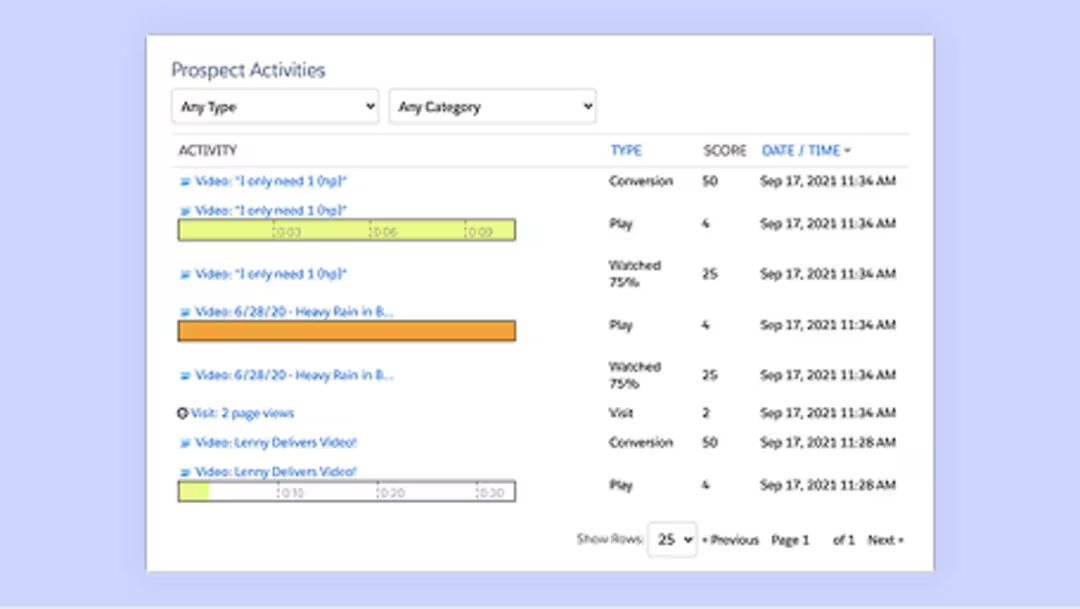
See which videos your prospects are watching
Once you’re set up, every video view on your website will be tracked and displayed in Pardot. This means you can check out video viewing events directly in a prospect’s activity record. You’ll even be able to see which videos they watched before becoming a contact.

Know who’s watching, automatically
You’ve already done the hard part—getting someone to watch a video—and Wistia handles the rest. Wistia can auto-load your Pardot tracking script so known contacts are identified from the moment they hit “Play.”
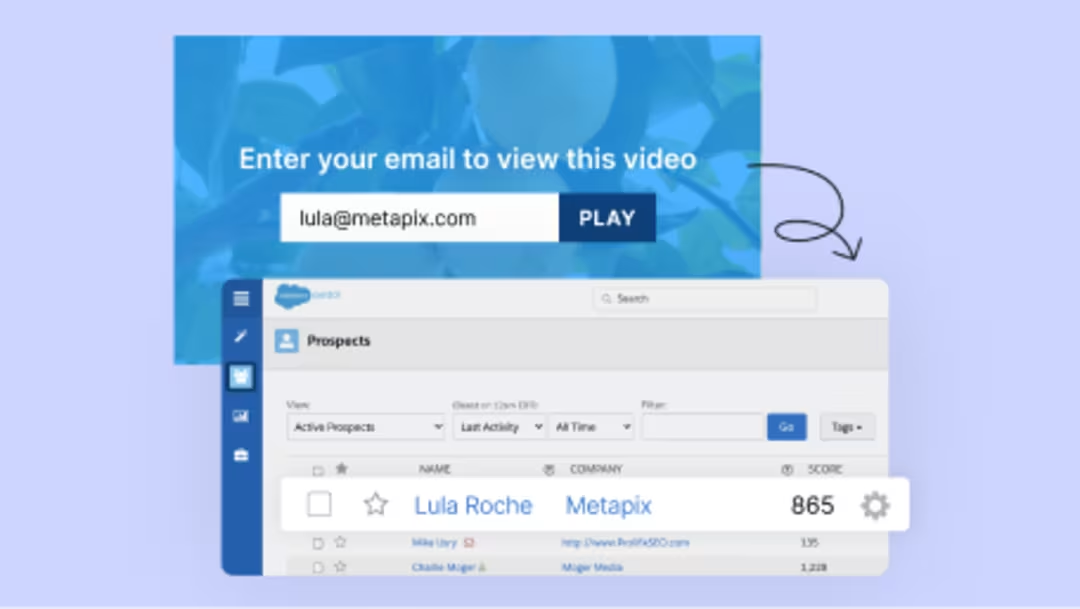
Turn anonymous views into engaged leads
Not sure who’s watching your videos yet? Use a lead capture form to find out. Capture the details of who they are and why they’re watching with our custom form fields, so your team can follow up with the right message at the right time.
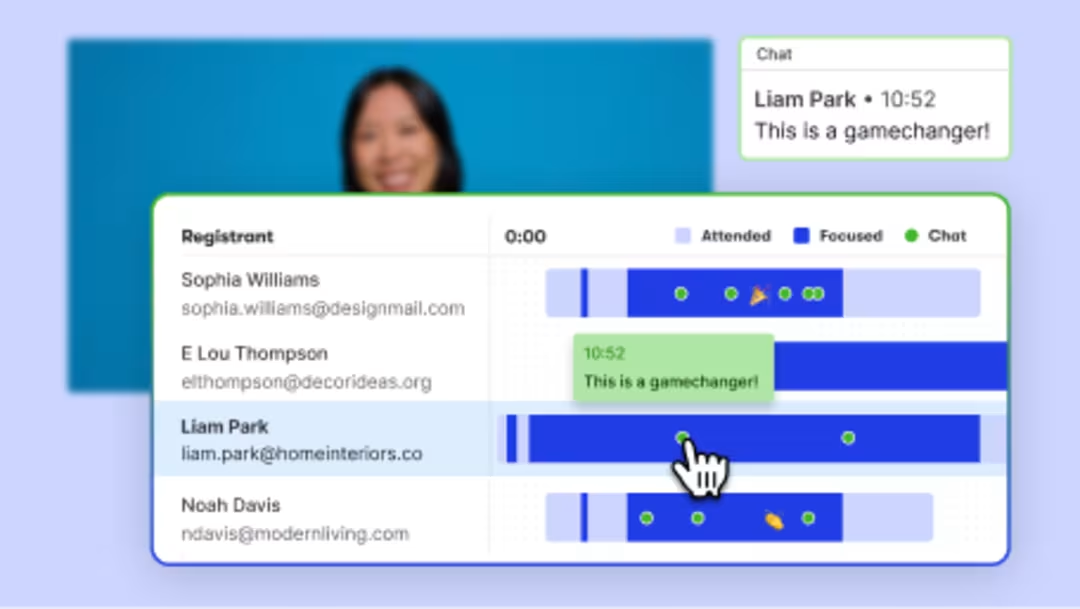
Host webinars that keep working after they end
Run your webinars on Wistia and watch registration and engagement data sync to Pardot. See how long people stayed, what they asked, and how they engaged—before, during, and after the event—letting you know exactly who’s ready for a conversation.
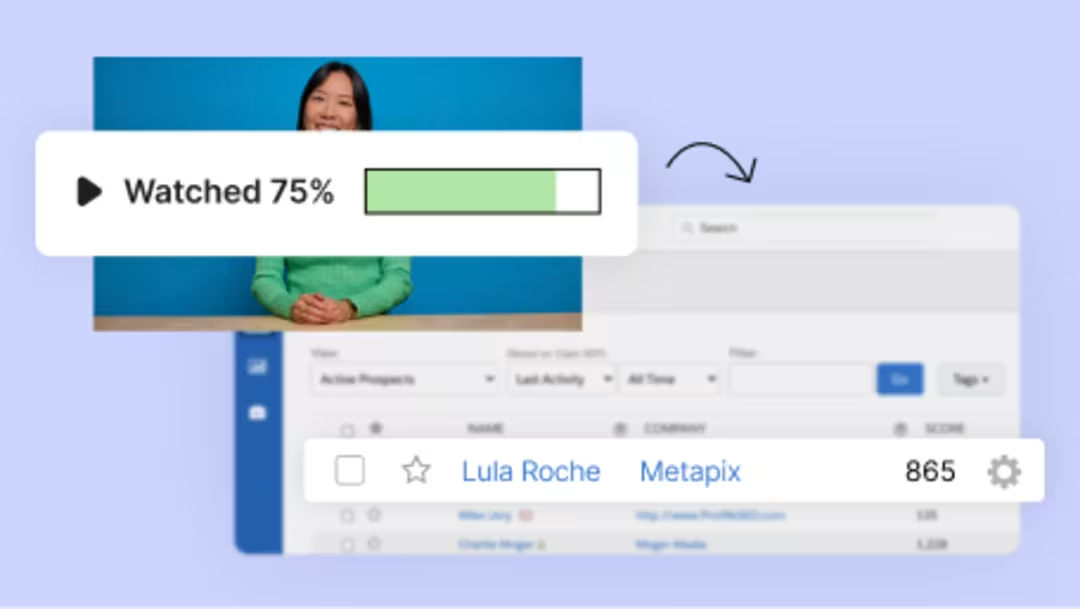
Video marketing on autopilot
Every engagement event—watched 75% of a product demo, or registered for a webinar—becomes fuel for your marketing strategy. Score leads, trigger workflows, and build sharper segments. Spot high-intent buying signals and move viewers through the funnel faster—all without bouncing between spreadsheets and tools.
Data shared with Pardot
Explore how the Wistia + Pardot integration syncs data across videos, webinars, and Channels to help you capture leads and track engagement at every stage of your funnel.
Contact information →Prospect fields
Capture leads from Wistia-hosted forms and sync them to Pardot for real-time segmentation and follow-up.
- First name
- First name
- Last name
- Last name
- Email address
Available for
- Video
- Webinars
- Channels
Custom question responses →Prospect fields
Collect deeper insights with form-based questions and use them to enrich contact profiles and tailor messaging.
- Phone number
- Phone
- Company
- Company
- Job title
- Job title
- Country
- Country
- Custom questions
- Custom prospect fields mapped manually
Available for
- Webinars
Lead source →Prospect fields
Understand exactly where your leads are coming from to refine campaigns and optimize attribution.
- Lead source type (e.g., Wistia form, webinar registration, channel subscription)
- Prospect fields
- Submission timestamp
- Prospect fields
- Content context (e.g., media name, event name)
- Prospect fields
Available for
- Video
- Webinars
Viewer engagement →Prospect fields or lists depending on your setup
Track viewer behavior and key interactions to personalize outreach, trigger automations, and score leads.
- Percent watched (25%, 50%, 75%, 100%)
- Prospect fields or lists
- Total watch time
- Prospect fields or lists
- CTA clicks
- Prospect fields or lists
- Annotation clicks
- Prospect fields or lists
- Last video watched
- Prospect fields or lists
Available for
- Video
Webinar participation →Prospect fields
Spot high-intent leads with webinar-participation data that shows up on each registrant's contact record.
- Registered
- Prospect fields
- Attended
- Prospect fields
- Total time watched
- Prospect fields
- Poll responses (aggregates)
- Prospect fields
- Q&A submissions (aggregates)
- Prospect fields
- Link clicks (aggregates)
- Prospect fields
Available for
- Webinars
Attribution data →Prospect fields
Attribute leads to the right campaigns with synced UTM parameters and IP/location data from form submissions. Note: This data is only synced when Wistia-hosted forms are used with UTM parameters present.
- UTM campaign
- Prospect fields
- UTM source
- Prospect fields
- UTM medium
- Prospect fields
- IP-based location (City, Region, Country)
- Prospect fields
Available for
- Webinars

Capture and connect your audience
Whether someone fills out a Wistia Form, registers for a webinar, or is already known to Pardot, Wistia connects their video engagement to the right contact—so you can turn every view into a signal for smarter follow-up.
| Workflow | Available for | Contact sync to Pardot | Tracks contact engagement? |
|---|---|---|---|
| Wistia form for video | Video | → | Yes (creates or updates contacts) |
| Wistia form for webinar registration | Webinars | → | Yes (creates or updates contacts) |
| Wistia form for Channel subscribe | Channels | → | Yes (creates or updates contacts) |
| Pardot form | VideoWebinars | → | No |
| Pardot tracking | Video | → | Yes (updates existing contacts) |
| Imported contact list (e.g. CSV) | Webinars | ⇌ | Yes |


